What Is a VPS and Why It Matters Today
VPS (Virtual Private Server ) technology has reshaped the way websites, applications, and digital businesses operate. In fact, the growing demand for speed, stability, and isolated environments has positioned VPS offerings as one of the most impactful hosting solutions available today.
Although many users begin with shared hosting, countless professionals ultimately migrate to a VPS once they recognize the need for stronger performance.
Moreover, the flexibility of a VPS allows teams to scale without the chaos that often comes with unmanaged infrastructure.
I still remember the first time I relied on a VPS for a demanding project years ago. The website kept crashing on shared hosting, especially during traffic surges from a seasonal marketing campaign.
After several sleepless nights, I made the jump. Suddenly, everything stabilized—traffic spikes, simultaneous logins, and resource-heavy scripts.
That experience not only saved the launch but also sparked my deeper understanding of server performance and virtualization technology.
Because of this, the conversation around Virtual Private Server environments has become essential for developers, entrepreneurs, agencies, and online businesses who want reliability without the overwhelming costs of dedicated hardware.
As we continue, you’ll see why vps solutions strike a balance between affordability and power.
How a VPS Works: The Technology Behind Virtual Servers
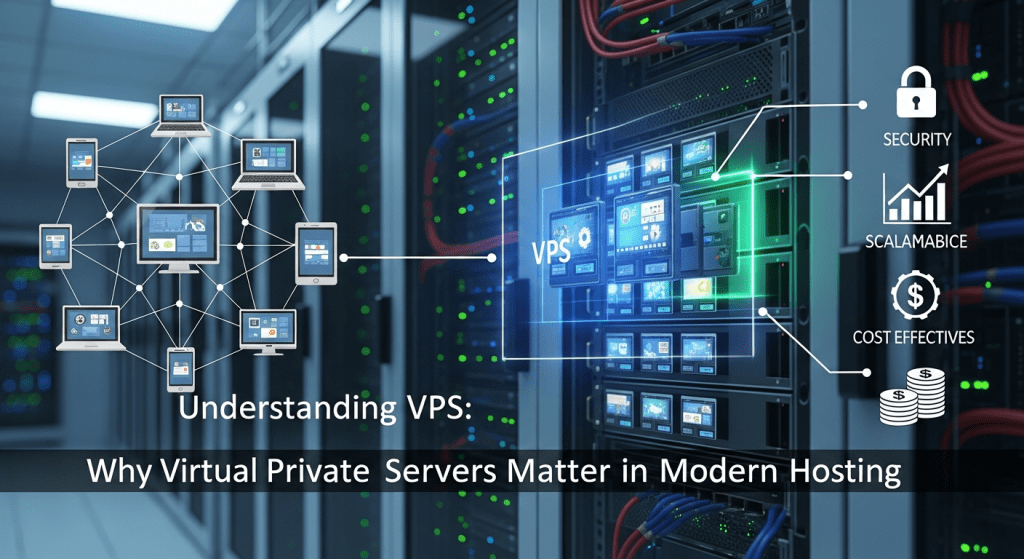
A Virtual Private Server is essentially a virtualized server created using hypervisor software. Although it operates within a physical machine, it behaves almost exactly like an independent server.
However, this independence is not merely a technical nuance; it is the foundation of the reliability and control that many teams now depend on.
Meanwhile, virtualization continues evolving, which further elevates the performance ceiling for modern vps users.
The Role of the Hypervisor
The hypervisor splits a dedicated server into multiple isolated environments. Therefore, each Virtual Private Server receives its own:
-
CPU allocation
-
RAM
-
Storage
-
Operating system
-
Network resources
Since one user cannot interfere with another, projects remain secure and stable even during peak loads.
Furthermore, administrators gain full control through root access, which is essential for custom configurations.
Why VPS Hosting Is More Reliable Than Shared Hosting
Although shared hosting might seem cost-effective, it exposes users to unpredictable resource sharing.
Consequently, a Virtual Private Server becomes the logical upgrade path when performance consistency matters.
Additionally, because each vps instance has dedicated resources, applications run with fewer interruptions, better load times, and stronger isolation from security vulnerabilities.
Storytelling: A Real-world Transformation Using VPS
Several years ago, a mid-sized e-commerce brand approached me with a critical issue. Their store crashed every time they launched flash sales, and customers started abandoning carts in frustration.
After analyzing their stack, the root cause became obvious: shared hosting limitations.
We migrated their site to a well-configured Virtual Private Server , fine-tuned caching, and expanded RAM allocation for their catalog.
Within days, their checkout abandonment rate dropped significantly. Even better, they recorded their highest revenue month without a single outage.
That moment reinforced how transformative a vps can be for businesses that depend on consistency.
Because digital expectations keep rising, these types of wins are becoming increasingly common. Therefore, understanding how to select and optimize a vps is now a competitive advantage.
Key Features to Look for in a VPS
Choosing the right environment requires evaluating technical specifications and support capabilities. Therefore, it helps to separate essential features from optional enhancements. Below is a practical breakdown.
Core VPS Features
-
Guaranteed Resources
Ensures your allocated CPU and RAM remain exclusively yours. -
Root Access
Enables advanced configurations and custom software installation. -
SSD or NVMe Storage
Faster read/write speeds for databases, CMS platforms, and large applications. -
Scalability Options
Allows smooth upgrades without migrating to a new server. -
Security Tools
Firewalls, DDoS protection, and backups are crucial in today’s threat landscape. -
Managed or Unmanaged Options
Managed servers offer assistance, while unmanaged grant full control.
VPS Hosting Comparison Table
(Data compiled from public feature listings of DigitalOcean, Vultr, and Linode as of 2025)
| Provider | Starting Price (Monthly) | Storage Type | Support Model | Performance Rating (1–10) |
|---|---|---|---|---|
| DigitalOcean | $6 | SSD | Unmanaged | 8.5 |
| Vultr | $5 | NVMe | Unmanaged | 9.0 |
| Linode | $5 | SSD | Unmanaged | 8.7 |
Source: Provider specification pages (DigitalOcean, Vultr, Linode).
Pros and Cons of Using a VPS
(Data summarized from common industry advantages and drawbacks)
| Pros | Cons |
|---|---|
| Dedicated resources | Requires more technical skill |
| Stronger security isolation | Can be more expensive than shared hosting |
| Greater customization | Misconfigurations may affect performance |
| Scalable architecture | Managed plans cost extra |
| Suitable for high-traffic websites | Monitoring tools may need manual setup |
Pricing Models Explained
VPS providers generally follow three pricing structures:
1. Fixed Monthly Plans
Great for predictable workloads and consistent budgets.
2. Pay-as-you-go Billing
Ideal for development environments or variable resource usage.
3. Managed VPS Pricing
Higher cost but includes monitoring, maintenance, and security support. This model is often chosen by small businesses that need expert oversight without hiring full-time administrators.
For reference, the average VPS price across major providers ranges between $5 and $40 per month, depending on resource allocation and support level.
How to Choose the Right VPS for Your Needs
Selecting a vps host requires clarity on your project goals. Therefore, start with a resource assessment.
If your application experiences sudden traffic spikes, prioritize CPU and RAM overhead. Alternatively, if hosting large databases, you may want NVMe storage for high I/O speed.
Questions to Ask Yourself
-
Will you manage the server or prefer managed support?
-
How fast do you expect your user base to grow?
-
Do you require staging environments?
-
Will your vps need automated snapshots or backups?
-
Are compliance standards involved? (e.g., PCI, HIPAA)
Because every project differs, the “best” vps depends heavily on your operational priorities.
VPS Use Cases in 2025
Modern vps environments are versatile. Although websites remain the primary use case, countless other applications now depend on virtual servers.
Popular VPS Use Cases
-
High-traffic websites and e-commerce stores
-
Application testing and development
-
Private cloud environments
-
Automation and backend scripts
-
Databases and analytics platforms
-
Game servers
-
VPN servers
Since innovation continues pushing digital workloads to the cloud, the relevance of vps hosting is only increasing.
Performance Optimization Tips for VPS Users
Even with strong specifications, performance still depends on proper tuning. Fortunately, several techniques simplify this process.
Key Optimization Strategies
-
Enable Server Caching
Tools like Redis, Varnish, and object caching can dramatically speed up CMS-based sites. -
Update Software Regularly
Doing so ensures stability and security while improving compatibility. -
Use a CDN
Content Delivery Networks reduce latency worldwide. -
Monitor Resource Usage
Tools like htop, Netdata, or Grafana dashboards reveal bottlenecks early. -
Secure Your Server
Firewall rules, fail2ban, and SSH key authentication significantly reduce vulnerability.
Because performance requires continuous care, monitoring your server environment should become a weekly habit.
Mid-Article Storytelling: A Developer’s Turning Point
During a fintech project I handled in late 2022, our team relied heavily on API integrations with strict uptime requirements.
Initially, the application ran on a shared environment to cut costs. Yet, each deployment caused unpredictable failures.
Eventually, after a series of emergency patches, we chose to migrate everything to a hardened vps cluster.
Although the migration took an entire weekend, the result changed our workflow permanently. The new vps setup delivered instant stability, predictable deployments, and seamless parallel testing.
Furthermore, our DevOps team finally had the control they needed. That project cemented my trust in vps-based architectures for mission-critical systems.
External Resources for VPS Learning
To expand your understanding, here are reliable references:
-
VMware Virtualization Basics – https://www.vmware.com
-
DigitalOcean Community Tutorials – https://www.digitalocean.com/community
Both provide high-quality, vendor-neutral insights.
Final Thoughts
A VPS stands at the intersection of affordability, power, and control. Therefore, whether you’re running an online store, scaling SaaS infrastructure, or building internal tools, choosing the right vps can significantly improve performance and stability.
Because today’s digital landscape demands speed, reliability, and security, shifting to a vps remains one of the smartest upgrades any growing project can make.
If you’re ready to explore high-performance virtual private servers, you can learn more directly from reputable providers on their official websites for the latest plans and configurations.